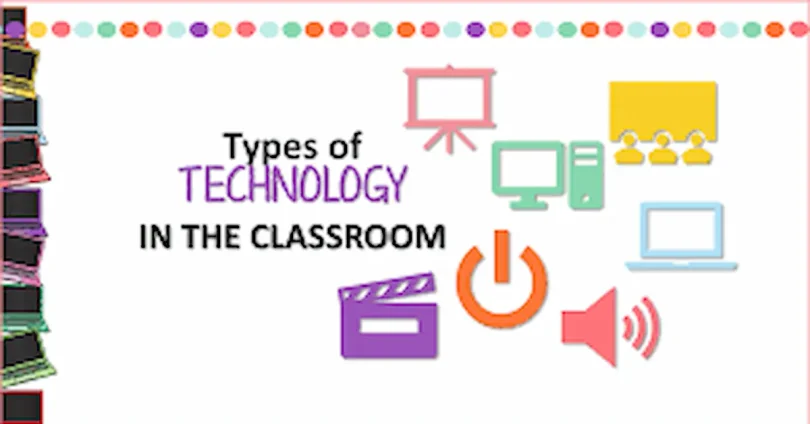

Types of tech tools used in classrooms are changing the way students learn and teachers teach. Instead of relying only on textbooks and blackboards, schools now use digital tools that make lessons more engaging and effective. From interactive whiteboards to learning apps, these technologies help explain difficult topics, encourage participation, and make education more enjoyable. With the right tools, classrooms become smarter, faster, and more student-friendly.
types of tech tools used in classrooms Interactive Whiteboards
What Are Interactive Whiteboards?
Interactive whiteboards, also called smart boards, are advanced digital tools that replace traditional blackboards. They work as large touch-sensitive screens that connect with a computer and projector. Teachers can write, draw, move objects, and show multimedia content with just a touch of a finger or a digital pen.
How They Are Used in Classrooms
In modern classrooms, interactive whiteboards are used in many creative ways:
- Teaching with visuals – Teachers can display diagrams, charts, and videos to explain lessons more clearly.
- Interactive lessons – Students can solve problems directly on the board, move digital objects, or write their answers.
- Group activities – Teachers can divide students into teams and use the board for quizzes, polls, or brainstorming sessions.
- Access to online resources – Since most smart boards connect to the internet, teachers can open websites, educational apps, or online libraries in real-time.
Benefits for Teaching and Learning
- Engagement – Students pay more attention when lessons are colorful, interactive, and fun.
- Better Understanding – Visuals like 3D models, videos, and diagrams help explain complex ideas easily.
- Collaboration – Encourages group discussions and teamwork by allowing multiple students to participate.
- Efficiency – Teachers can save notes, reuse digital lesson plans, and quickly switch between activities.
- Accessibility – Interactive boards can display subtitles, translations, or recordings, which helps students with different learning needs.
Real-Life Example
Think about a biology class where students are learning about the human heart. Instead of only reading a diagram in a textbook, the teacher can display a 3D beating heart on the smart board. Students can rotate the image, zoom in to see different parts, and even watch how blood flows through the chambers. This makes the learning experience both exciting and unforgettable.
Learning Management Systems (LMS)
What Are Learning Management Systems?
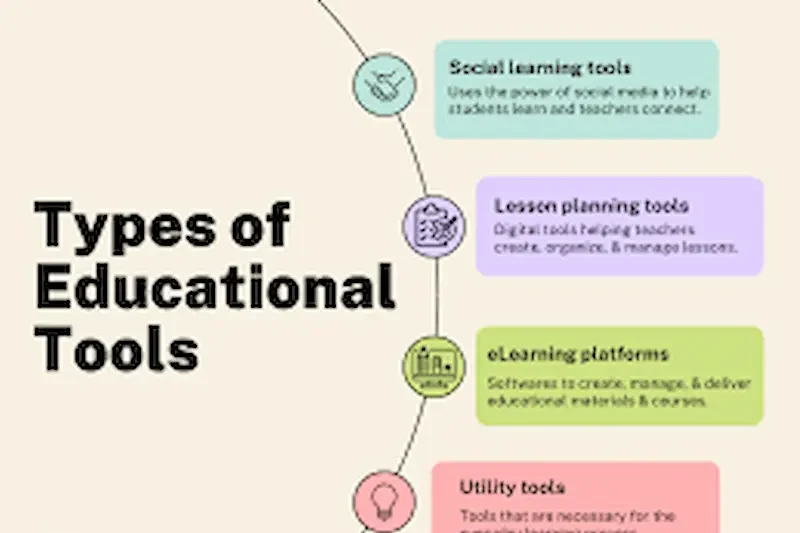
A Learning Management System, or LMS, is an online platform that helps teachers organize, deliver, and manage lessons digitally. Instead of only relying on printed notes or in-class instructions, teachers can upload study materials, assignments, and quizzes to the LMS, where students can access them anytime.
Examples of Popular LMS Platforms
Some of the most widely used LMS platforms in schools and universities include:
- Google Classroom – Simple and user-friendly for sharing lessons and assignments.
- Moodle – Open-source and highly customizable for schools.
- Canvas – Popular in universities with strong grading and communication tools.
- Microsoft Teams for Education – Combines video classes, file sharing, and chat in one place.
How LMS Is Used in Classrooms
- Teachers upload class notes, videos, and assignments.
- Students submit homework and projects online.
- Teachers give grades and feedback digitally.
- Students can ask questions or join discussions outside class hours.
- Parents (in some systems) can also check progress reports.
Benefits of LMS in Education
- Easy Access to Learning Materials – Students can review notes, watch recordings, and complete assignments anytime.
- Better Communication – Teachers and students stay connected through announcements, chats, or discussion boards.
- Time-Saving for Teachers – No need to hand out physical papers; everything is stored online.
- Tracking Progress – Teachers can monitor attendance, grades, and performance with just a few clicks.
- Encourages Independent Learning – Students take responsibility by managing their own study schedules.
Real-Life Example
Imagine a teacher assigning a science project. Instead of handing out printed sheets, the teacher uploads the project details on Google Classroom. Students can read the instructions, submit their work digitally, and even receive feedback online. This not only saves time but also keeps everything organized in one place.
Tablets and Laptops
What Are Tablets and Laptops in Education?
Tablets and laptops are among the most common digital devices used in modern classrooms. A tablet is a lightweight, touch-screen device, while a laptop is a portable computer with a keyboard and larger storage. Both allow students and teachers to go beyond traditional textbooks and bring the entire world of knowledge into the classroom.
How They Are Used in Classrooms
- Digital Note-Taking – Students can use apps like OneNote, Notability, or Google Docs to type or even handwrite digital notes. This reduces the need for paper and makes notes easy to organize and share.
- Research and Exploration – With internet access, students can instantly look up information, read articles, or watch educational videos related to their lessons.
- E-Books and Digital Libraries – Many schools provide online textbooks and resources that students can access anytime without carrying heavy books.
- Assignments and Homework – Students complete assignments digitally and upload them directly to platforms like Google Classroom or Moodle.
- Presentations and Projects – Using PowerPoint, Prezi, or Canva, students create and present their projects with visuals and animations.
- Virtual Classrooms – Tablets and laptops allow students to join online lessons or hybrid classes when they cannot attend physically.
Benefits of Tablets and Laptops
- Portability – Students carry one device instead of multiple books and notebooks.
- Up-to-Date Learning – Digital devices allow access to the latest resources and updated information online.
- Skill Development – Improves typing, researching, problem-solving, and tech skills needed for future jobs.
- Collaboration – Students can work together on shared documents, group projects, or online discussions in real time.
- Accessibility – Tools like text-to-speech, translation, or adjustable fonts help students with different learning needs.
- Eco-Friendly – Reduces the use of paper, making classrooms more environmentally friendly.
Challenges and Considerations
While tablets and laptops have many advantages, schools and teachers must also be aware of some challenges:
- Distraction Risks – Games, videos, or social media can easily distract students if not managed properly.
- Cost and Availability – Not every family or school can afford a device for each student.
- Technical Issues – Devices require regular charging, software updates, and sometimes repairs.
- Learning Curve – Younger students may need training to use digital tools effectively.
Real-Life Example
Imagine a geography class where students are asked to study different countries. Instead of flipping through limited textbook pages, students can use laptops to explore maps on Google Earth, watch short documentaries, and gather facts from reliable online sources. Later, they can work in groups to prepare a digital presentation and share it with the class. This method not only makes the lesson more exciting but also builds teamwork and digital skills.
you may also like to read these posts;
What is Smart Learning? Benefits, Features, and Future Guide
Types of Smart Learning Methods for Modern Education
How to Apply Smart Learning in Daily Study for Better Results
Why Smart Learning is Effective: Boost Your Skills Fast
Top Smart Learning Strategies to Study Better in 2025
Educational Apps and Software
What Are Educational Apps and Software?
Educational apps and software are digital programs designed to improve the learning experience through interactive features like games, quizzes, flashcards, videos, and practice exercises. Unlike traditional learning methods, these apps are built to be fun and engaging, encouraging students to learn actively instead of passively. They can be installed on tablets, laptops, or smartphones, making them accessible both in classrooms and at home.
Popular Educational Apps and Software in Classrooms
- Kahoot! – A game-based quiz platform that turns lessons into competitions where students answer questions in real time.
- Quizlet – A flashcard app that helps with memorization using games, practice tests, and spaced repetition techniques.
- Duolingo – A language-learning app that teaches vocabulary, grammar, and pronunciation step by step.
- Prodigy Math – A math adventure game where students solve problems while playing.
- Nearpod – An interactive lesson tool that allows teachers to add polls, quizzes, and even virtual reality field trips.
- Edmodo – A platform where teachers assign work, track progress, and connect with students in a secure learning environment.
- Seesaw – A student engagement platform where kids can showcase their work through photos, drawings, and videos.
How They Are Used in Classrooms
- Interactive Review Sessions – Teachers often use Kahoot or Quizizz at the end of a lesson to review concepts in a fun way.
- Daily Practice – Language teachers assign Duolingo for daily vocabulary and grammar practice.
- Homework Made Fun – Instead of traditional worksheets, students complete interactive exercises on apps.
- Collaborative Learning – Apps like Nearpod let students work together on interactive lessons, polls, or problem-solving activities.
- Student Portfolios – Platforms like Seesaw let students showcase their work to teachers and parents, creating a record of progress.
- Virtual Field Trips – Apps give students experiences beyond the classroom, such as exploring the solar system, walking through ancient ruins, or touring a museum.
Benefits of Educational Apps and Software
- Boosts Engagement – Learning feels like a game, which keeps students motivated.
- Supports Different Learning Styles – Visual learners can watch videos, auditory learners can listen to instructions, and hands-on learners can complete interactive tasks.
- Anytime, Anywhere Learning – Students can continue learning outside of school at their own pace.
- Instant Feedback – Apps immediately show results, so students know what they got right or wrong.
- Personalized Learning – Apps adjust difficulty levels based on student progress, helping each learner improve at their own speed.
- Parent Involvement – Some apps allow parents to track their child’s progress and provide support at home.
- Teacher Convenience – Teachers can track scores, attendance, and performance automatically without extra paperwork.
Challenges and Considerations
- Screen Dependency – Students may spend too much time on screens, affecting focus.
- Unequal Access – Not every student has a device or internet at home.
- Distractions – Students may switch to unrelated apps or games.
- Costs – While many apps are free, advanced features often require paid subscriptions.
- Data Privacy – Schools must ensure apps are safe and protect student information.
Real-Life Example
Picture a middle school classroom where the teacher is preparing students for a science quiz. Instead of giving a paper test, the teacher sets up a Kahoot session. Students compete in teams, answering questions about the solar system on their tablets. The energy in the classroom is high, students are laughing and learning together, and at the same time, the teacher instantly sees which questions were difficult. This not only makes the lesson fun but also helps the teacher identify areas where students need more practice. types of tech tools used in classrooms
Virtual Reality (VR) and Augmented Reality (AR)
What Are VR and AR in Education?
Technology has made it possible for classrooms to move beyond walls and textbooks. Two of the most exciting tools are Virtual Reality (VR) and Augmented Reality (AR):
- Virtual Reality (VR): Creates a fully digital 3D environment. With a VR headset, students feel like they are inside a different world, such as exploring the ocean floor, visiting historical monuments, or conducting science experiments.
- Augmented Reality (AR): Enhances the real world by overlaying digital content. For example, when students use a tablet to scan a picture in their science book, a 3D beating heart or rotating planet may appear on the screen.
These tools make learning more interactive, engaging, and memorable.
Classroom Uses of VR and AR
- Virtual Field Trips – Students can tour museums, outer space, or world landmarks without leaving the classroom. types of tech tools used in classrooms
- Science and Biology Lessons – VR lets learners dive inside the human body, watch how cells work, or explore volcanoes and ecosystems in 3D.types of tech tools used in classrooms
- History and Geography – AR can project ancient ruins or battlefields in the classroom, while VR can transport students to historical events.
- Mathematics and Geometry – Students can manipulate 3D shapes, measure angles, or visualize graphs using AR tools.
- Language and Cultural Learning – VR allows students to practice foreign languages by virtually visiting restaurants, markets, or cities where the language is spoken. types of tech tools used in classrooms
- Engineering and Design – AR helps students design and test structures, while VR simulates real-world projects before building them. types of tech tools used in classrooms
- Special Education Support – VR can provide personalized, distraction-free environments where students with learning difficulties practice at their own pace. types of tech tools used in classrooms
Benefits of VR and AR in Education
- Immersive Learning Experience: Students feel involved, not just as observers but as participants in the lesson.
- Improved Retention: Studies show that students remember more when they “experience” a lesson rather than just read about it.
- High Engagement: Even less motivated learners show more interest when lessons feel like games or adventures.
- Safe Simulations: Dangerous or costly experiments (like chemical reactions or space exploration) can be done virtually without risk.
- Accessibility: Supports different learning styles – visual, auditory, and kinesthetic – making lessons inclusive. types of tech tools used in classrooms
- Global Access: Students in remote areas can explore resources that they might never see in real life. types of tech tools used in classrooms
Challenges and Considerations
- High Costs: VR headsets and AR devices can be expensive for schools, especially in developing regions.
- Technical Barriers: Teachers need training, devices need maintenance, and internet access must be reliable.
- Unequal Access: Not every student may get to use VR or AR tools at the same time. types of tech tools used in classrooms
- Short Attention Span: Overuse may cause fatigue, eye strain, or reduce focus. types of tech tools used in classrooms
- Content Limitations: Not all subjects currently have enough high-quality VR or AR resources. types of tech tools used in classrooms
Real-Life Examples
- In a history class, students use VR to walk through Ancient Egypt’s pyramids, seeing hieroglyphs up close and experiencing the architecture as if they were archaeologists.
- In biology, AR apps like “Merge Cube” allow students to hold a digital 3D heart in their hands, rotate it, and study how it pumps blood.
- In astronomy, students put on VR headsets to explore the solar system, zoom in on planets, and even land on the moon.
- In language classes, students practice role-playing in a VR café in Paris, ordering food in French and practicing conversation in real-world scenarios.
Online Collaboration Tools

What Are Online Collaboration Tools?
Online collaboration tools are digital platforms that allow students and teachers to communicate, share resources, and work together in real time. These tools are especially useful for group projects, remote learning, and hybrid classrooms where not all students are physically present. They help bridge the gap between distance and teamwork. types of tech tools used in classrooms
Popular Online Collaboration Tools in Education
- Google Meet & Zoom – Video conferencing platforms for live classes, discussions, and presentations. types of tech tools used in classrooms
- Microsoft Teams for Education – Combines video calls, chats, file sharing, and project collaboration. types of tech tools used in classrooms
- Google Workspace (Docs, Sheets, Slides) – Lets multiple students work together on documents, spreadsheets, and presentations at the same time.
- Padlet – An online board where students can post ideas, links, or media for brainstorming sessions. types of tech tools used in classrooms
- Slack or Discord (for older students) – Communication platforms often used for group projects or study groups. types of tech tools used in classrooms
How They Are Used in Classrooms
- Group Projects – Students collaborate on shared documents and presentations, even if they are in different locations. types of tech tools used in classrooms
- Virtual Class Discussions – Teachers hold video classes, Q&A sessions, or debates online. types of tech tools used in classrooms
- Homework and Assignments – Students upload work digitally, and teachers give instant feedback. types of tech tools used in classrooms
- File Sharing – Teachers share lesson plans, worksheets, and study materials with the entire class at once. types of tech tools used in classrooms
- Brainstorming and Creativity – Tools like Padlet allow students to share ideas visually on a common board. types of tech tools used in classrooms
- Peer Review – Students can comment on each other’s work and give suggestions, creating a collaborative learning culture.types of tech tools used in classrooms
Benefits of Online Collaboration Tools
- Flexibility – Students can work together anytime, anywhere.
- Improved Communication – Encourages teamwork and ensures everyone is on the same page. types of tech tools used in classrooms
- Accessibility – Students who miss a class can still access notes, recordings, and assignments online. types of tech tools used in classrooms
- Skill Development – Teaches digital communication, problem-solving, and teamwork skills essential for the workplace. types of tech tools used in classrooms
- Time-Saving – Teachers can quickly distribute instructions and collect work without printing or physical handouts. types of tech tools used in classrooms
- Equal Participation – Quiet students may feel more comfortable contributing in online discussions or chats. types of tech tools used in classrooms
Challenges and Considerations
- Internet Dependency – Requires a strong and stable internet connection. types of tech tools used in classrooms
- Distractions – Students may multitask or get distracted during online meetings. types of tech tools used in classrooms
- Overuse of Screen Time – Too many online meetings can cause fatigue (often called “Zoom fatigue”). types of tech tools used in classrooms
- Security Concerns – Schools must ensure safe and secure platforms to protect student privacy. types of tech tools used in classrooms
- Learning Curve – Younger students or less tech-savvy teachers may need training. types of tech tools used in classrooms
Real-Life Example
Imagine a group of students assigned to create a presentation on climate change. Instead of meeting in person, they use Google Docs to write content together, Google Slides to design their presentation, and Zoom to practice delivering it. Each student can work from home, yet the project feels seamless because all tools are connected online. types of tech tools used in classrooms
What are tech tools in classrooms?
Tech tools in classrooms are digital resources like interactive whiteboards, learning apps, online collaboration platforms, and VR/AR devices that make teaching and learning easier and more engaging.
Why are tech tools important for students?
They help students learn faster, stay motivated, and understand complex topics with visuals and interactive activities. Tech tools also prepare students for future careers where technology skills are essential.
Are tech tools only useful for older students?
No. Tech tools can be adapted for all ages. For example, younger children can use learning apps and digital games, while older students may use online collaboration and VR for advanced lessons.
Do tech tools replace teachers?
Not at all. Tech tools support teachers by making lessons more interactive and organized, but teachers are still essential for guidance, motivation, and personal interaction.
What are some affordable tech tools schools can start with?
Schools can begin with low-cost options like Google Classroom, Kahoot, Padlet, or free educational apps that work on smartphones and tablets.
Conclusion
Types of tech tools used in classrooms are transforming the way teachers teach and students learn. From interactive whiteboards and online collaboration platforms to VR and assessment apps, these tools make lessons more engaging, personalized, and effective. While there are challenges like cost and internet access, the benefits of improved learning, better communication, and stronger student participation cannot be ignored. As education continues to grow with technology, classrooms will become smarter, more connected, and better prepared to meet the needs of future learners.